

Connect TikTok Ads
Connect your TikTok Ads account to Tapper to start detecting and excluding invalid traffic from your campaigns.
Prerequisites
Your website must have a TikTok Pixel installed before connecting a TikTok Ads account. You will use the pixel to manually create the invalid traffic audience in TikTok Ads Manager as part of the setup.
Connect your TikTok Ads account
Open your protected entity
In Tapper, open Setup > Ad accounts in the sidebar and the TikTok Ads tab. If your workspace has more than one protected entity, pick your website's first in the switcher under the workspace name.
Connect TikTok Ads
In the setup flow, click Connect TikTok Ads. A TikTok authorization popup will open.
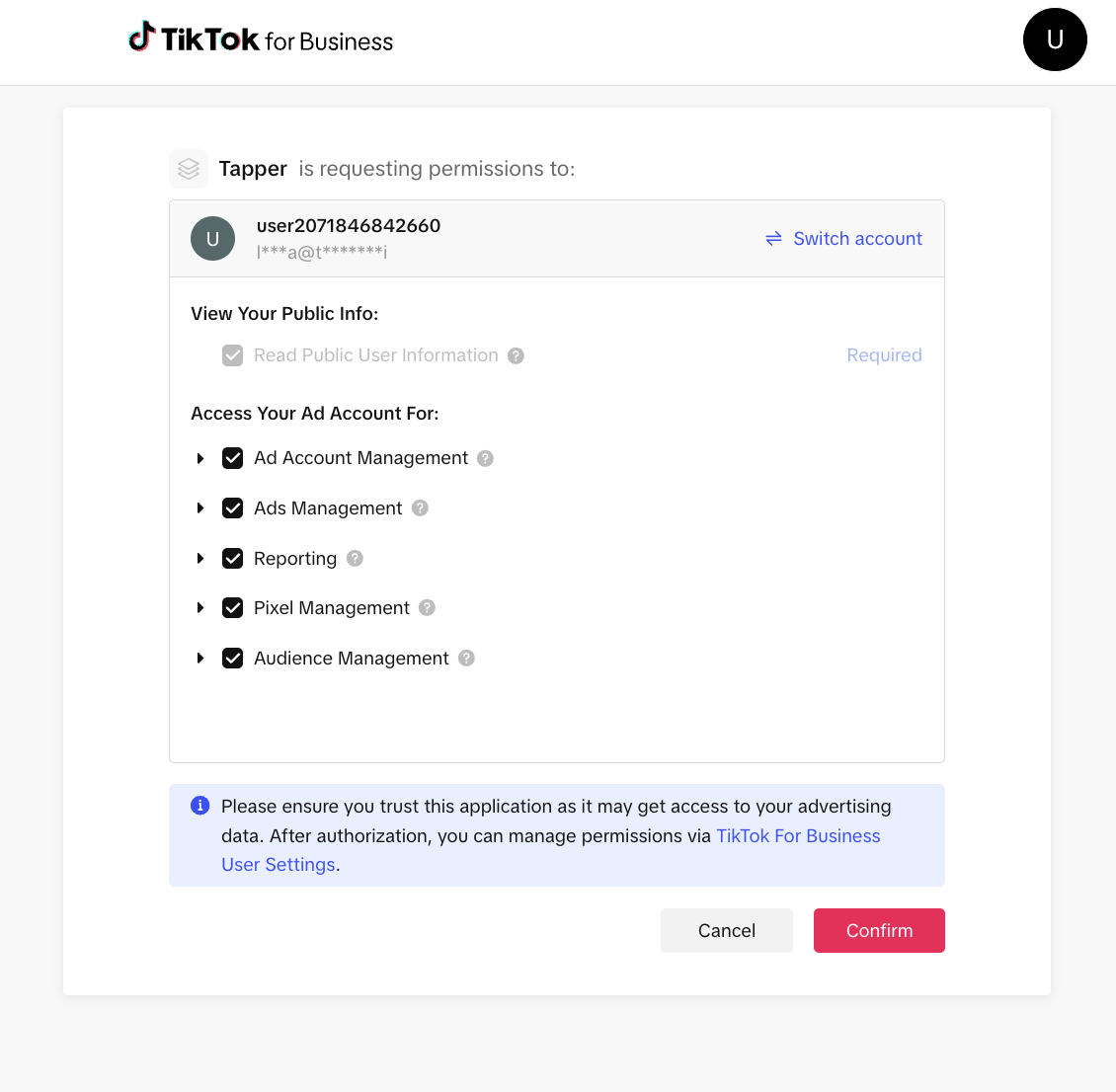
Authorize Tapper
Log in to your TikTok Business account and grant Tapper the required permissions. Once authorized, the popup will close automatically.
Select ad accounts
Choose one or more TikTok advertiser accounts you want to protect. Use the search box to filter by account name or ID.
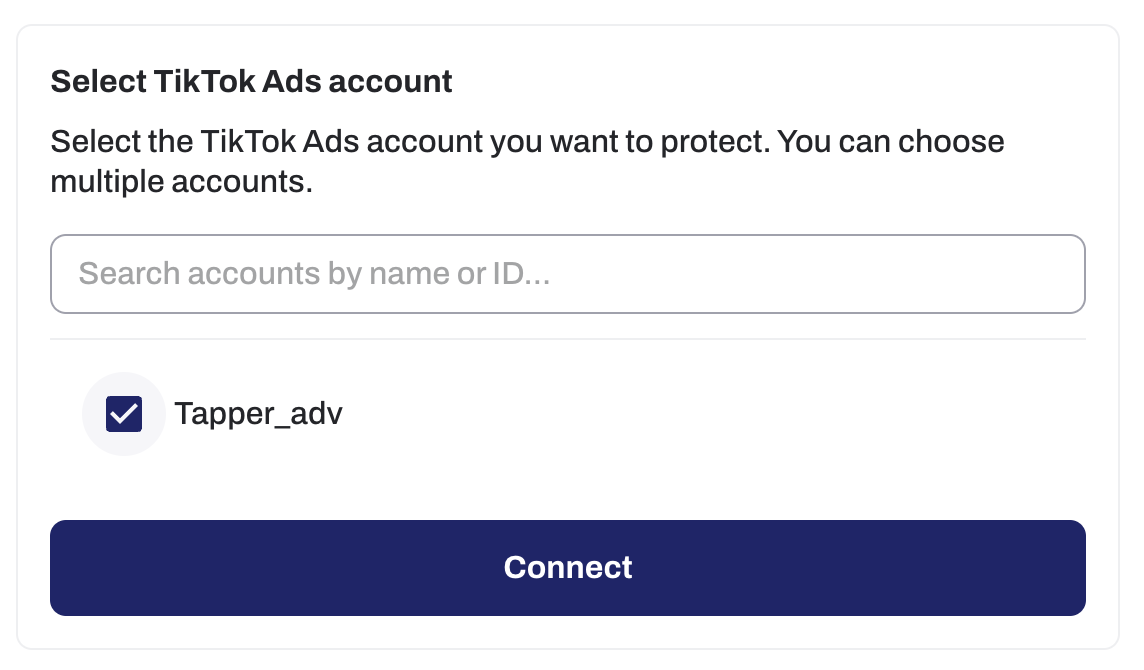
Confirm the connection
Click Connect. Tapper will fetch your campaigns and ad groups and sync them into the dashboard.
Install the monitoring script
After connecting your accounts, install Tapper's monitoring script on your website so that visitor data can be collected and used to build the invalid traffic audience.
Follow the Monitoring script guide to complete this step.
Create the invalid traffic audience
The invalid traffic audience must be created by you in TikTok Ads Manager. Tapper signals invalid visitors through your TikTok Pixel with the event TAPPER_INVALID_TRAFFIC, and you build a Website Traffic audience from that event.
Follow Create the Invalid Traffic Audience: six short steps, about two minutes.
What happens after setup
Once connected and the audience is created, Tapper:
- Imports your campaigns and ad groups - your campaigns and ad groups are synced into Tapper so you can manage exclusions directly from the dashboard. TopView and Promote campaigns are not imported, and their spend is not shown, because TikTok does not let their ad groups be updated through its API, so Tapper cannot protect them.
- Begins monitoring traffic - the monitoring script identifies invalid visitors and signals them through the TikTok Pixel, keeping the audience up to date.
- Enables per-ad-group exclusions - you can toggle protection on or off for individual ad groups directly from the Tapper dashboard.