
Shadow Campaign
Deploy a Shadow Campaign to isolate high-risk traffic into a separate Manual CPC campaign.
What is a Shadow Campaign?
A Shadow Campaign isolates high-risk traffic into a separate campaign with a fixed Manual CPC, preventing suspicious clicks from draining your primary campaign's budget. Your main campaign keeps competing for genuine users, while the shadow absorbs the traffic Tapper flags as high-risk - at a price you control.
Shadow campaigns are part of Tapper Block. You can create one for a Search or Shopping campaign that does not have a shadow campaign yet. Owners, admins and managers can create them.
Enabling a Shadow Campaign
Open Google Ads in Setup
Open Setup > Ad accounts in the sidebar and the Google Ads tab, then Manage campaigns on the account.
Find your campaign
Locate the campaign you want to shadow in the list.
Create the Shadow Campaign
Open the campaign row's actions menu (⋮) and select Create shadow campaign.
Set the manual CPC
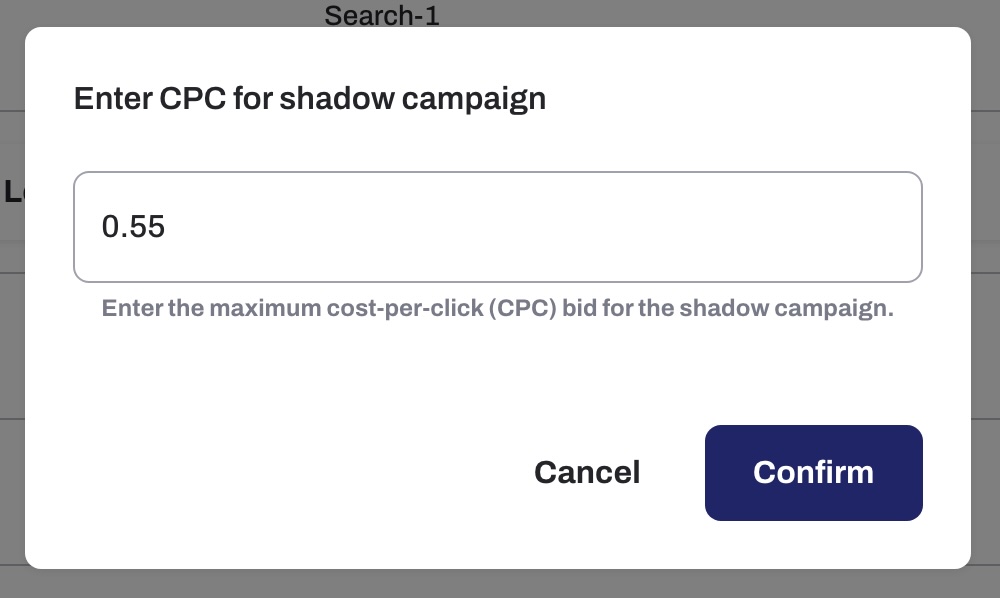
Enter the maximum cost-per-click (CPC) bid for the shadow campaign in the dialog that appears, then click Confirm.