
Value rule exclusion
Set up Conversion Value Rule Exclusions in Google Ads to decrease ad relevance for potentially invalid users.
Performance Max campaigns are already protected automatically. When you enable protection for a Performance Max campaign in your Tapper dashboard, Tapper adds a campaign-level negative audience exclusion - the same way it does for Search, Display, and Shopping campaigns. The value rule on this page is an optional supplementary layer that further reduces bid relevance for flagged users.
Invalid traffic user lists are created and managed automatically by Tapper when the integration is set up - you only create the value rule itself.
Before you start
If you are creating a new Performance Max campaign, complete the standard setup first - campaign goals, budget, targeting (location, demographics), and ad creative assets. The value rule is added in the settings of an existing campaign.
Setting up the value rule
Value rules let you adjust bids for specific audience segments. This one decreases the relevancy of showing ads to users identified by Tapper as potentially invalid.
Navigate to value rules
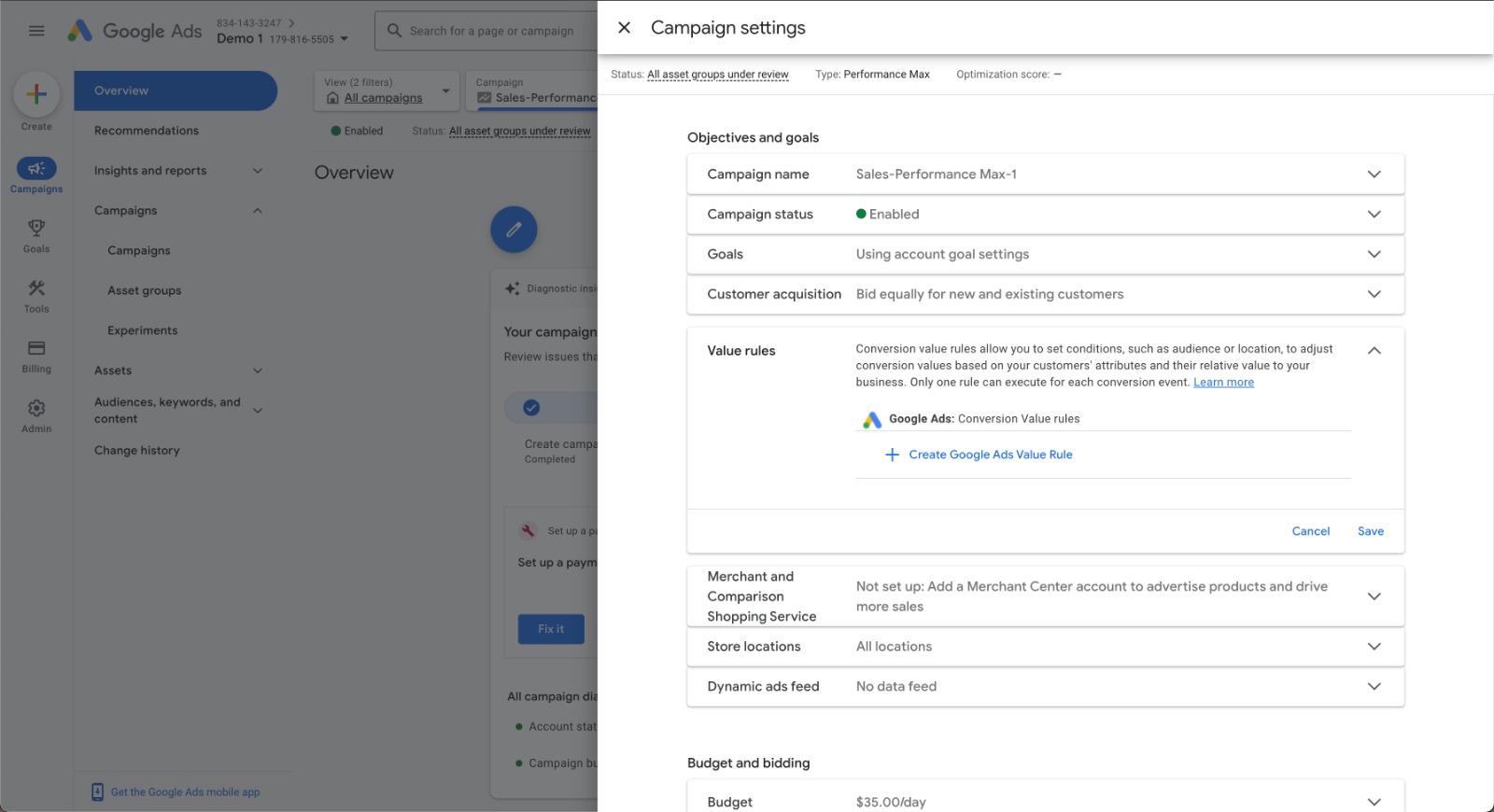
Within your Performance Max campaign, go to the Settings tab. Find the Value Rules section and click Create Google Ads Value Rule +.
Select the audience segment
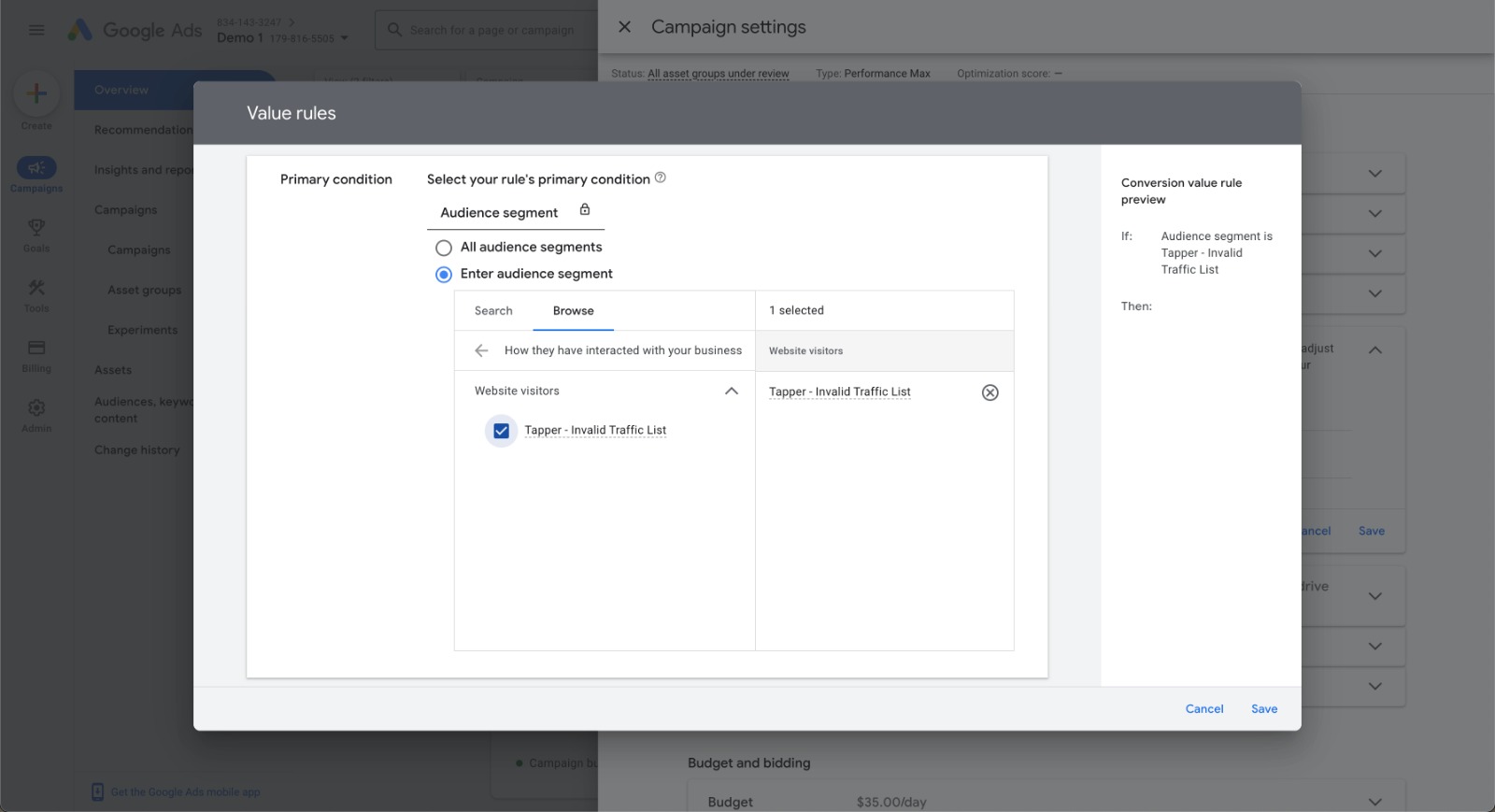
Click Browse, select How they have interacted with your business, then choose the segment Tapper - Invalid Traffic List.
Set the value adjustment
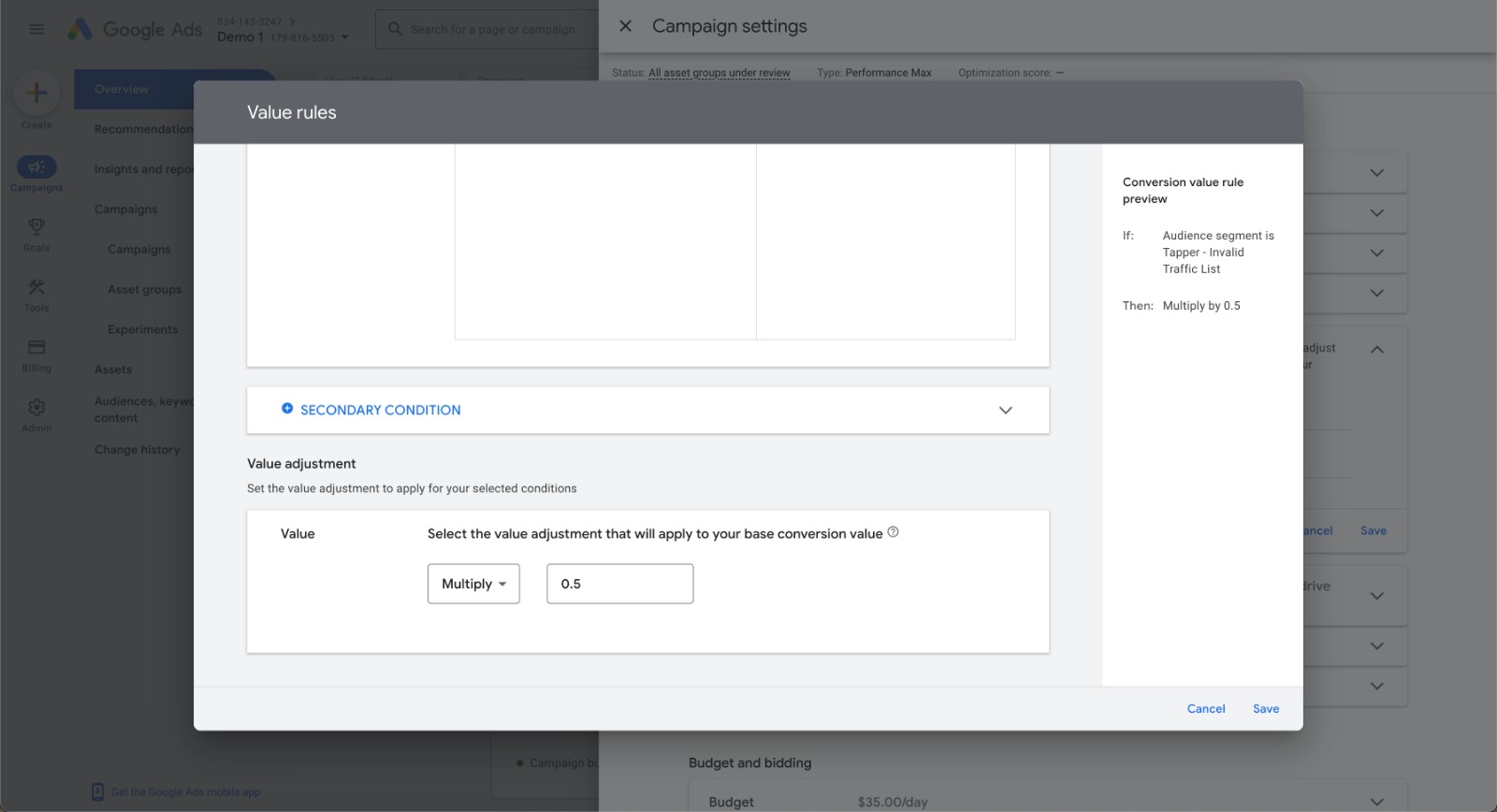
In the Value Adjustment section, choose Multiply and enter 0.5 - this applies a -50% bid adjustment.
Save
Review your settings and click Save.
A -50% bid adjustment is the strongest reduction Google Ads allows. It doesn't completely block flagged users from seeing your ads, but it significantly reduces the likelihood compared to non-flagged users.
Troubleshooting
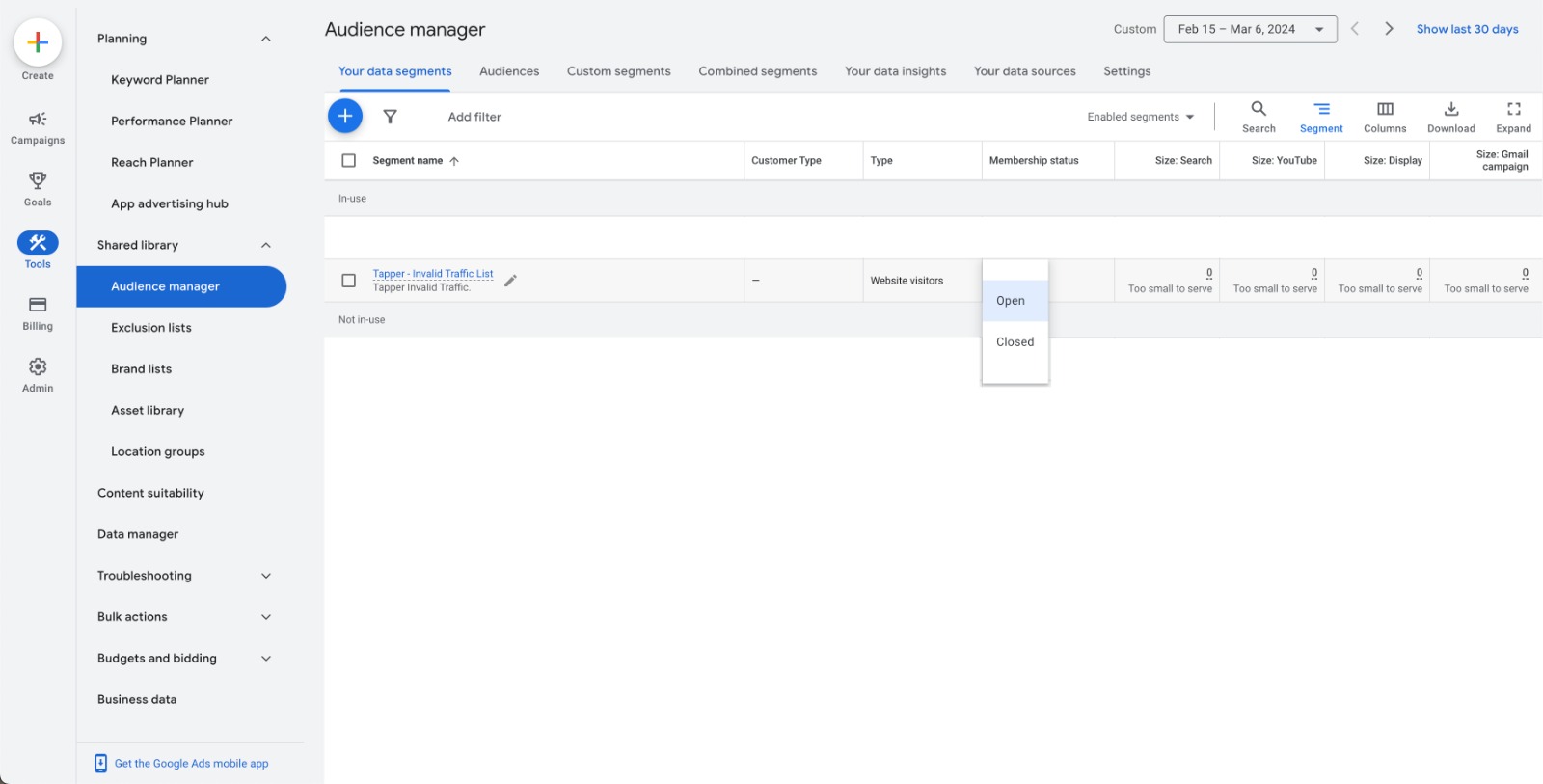
If Tapper - Invalid Traffic List doesn't appear when setting a conversion value rule, check that its membership status is set to Open in the Audience Manager tool.