

URL parameters
Add custom URL parameters to your Meta ads for precise click tracking and attribution.
Tapper attributes every captured click to the exact ad that produced it - but Meta does not include the ad's ID in your destination URL by default. Add it once as a URL parameter, in bulk or per ad, and attribution works automatically from then on.
Adding the ad_id parameter
1
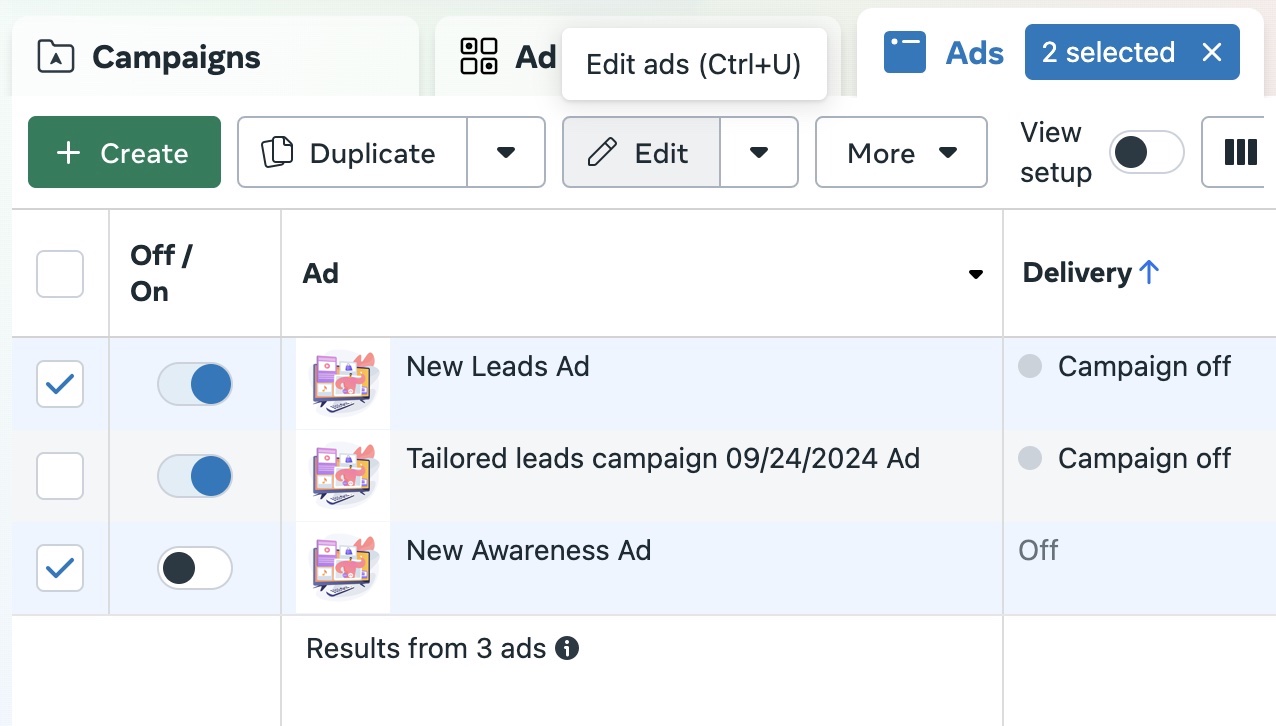
Select the ads
Select the ads you want to configure within your Meta Ads account.
2
Open bulk edit
Click the Bulk Edit button in the toolbar.
3
Find the Tracking Settings
Scroll to the Tracking section of the bulk ads setup.
4
Add the parameter
Click Build a URL parameter, choose Add parameter, set the name to ad_id, and select {{ad.id}} as the value. Click Apply.
Review and publish
- Review - confirm the
ad_idparameter is set to{{ad.id}}on every ad you edited. - Publish - publish the changes to apply your modifications.