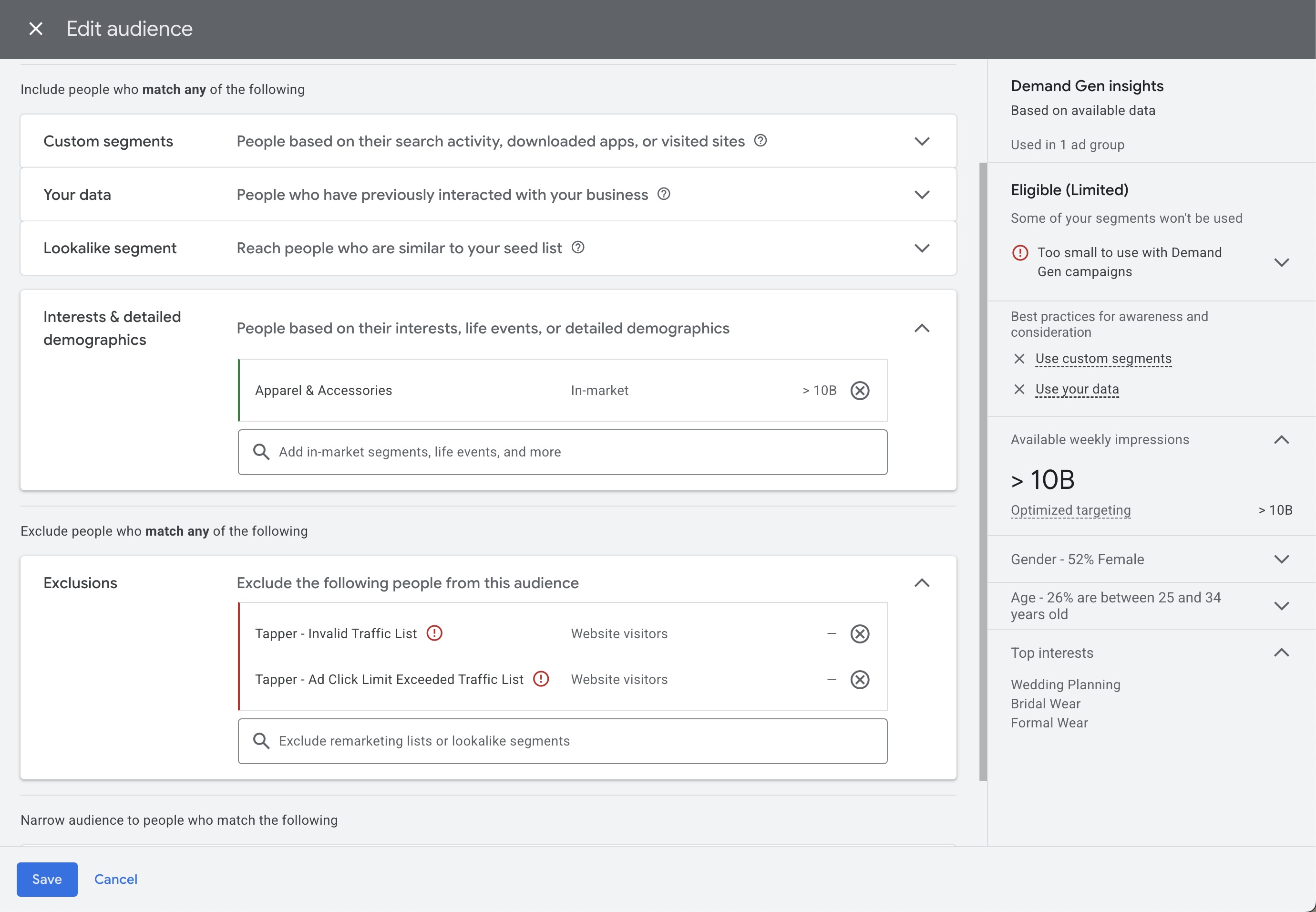

Audience exclusion
Exclude invalid traffic audiences from your Google Ads ad groups using Tapper's managed audience lists.
Invalid traffic audiences are created and managed automatically by Tapper when the integration is set up. For Search, Display, Shopping, and Performance Max campaigns the exclusion is also applied automatically - just toggle protection on in your Tapper dashboard, and the campaign shows the audience Tapper - Invalid and Ad Click Limit Exceeded Traffic Audience as an exclusion. The manual steps below are for campaigns where you manage audiences yourself, such as Video.
Before you start
When creating a new Video (Conversions) campaign - or any campaign that supports audience exclusion - complete the standard setup first: goals, budget, targeting, and ad creatives.
Adding the exclusion
Navigate to audiences
Go to the Audiences tab in your campaign.
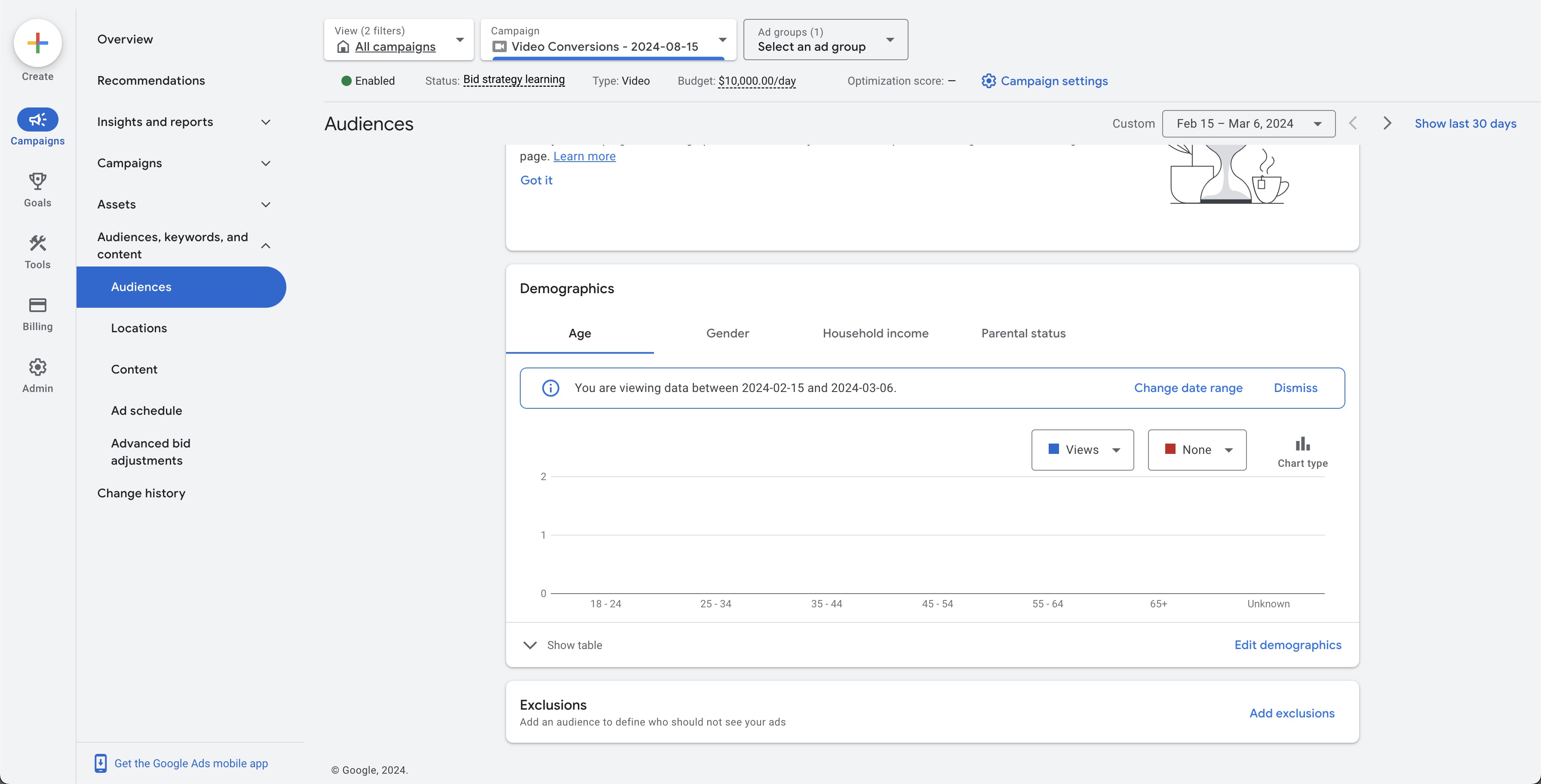
Add the exclusion
In the Exclusions section, click Add Exclusions and select the Ad Group you want to exclude invalid audiences from.
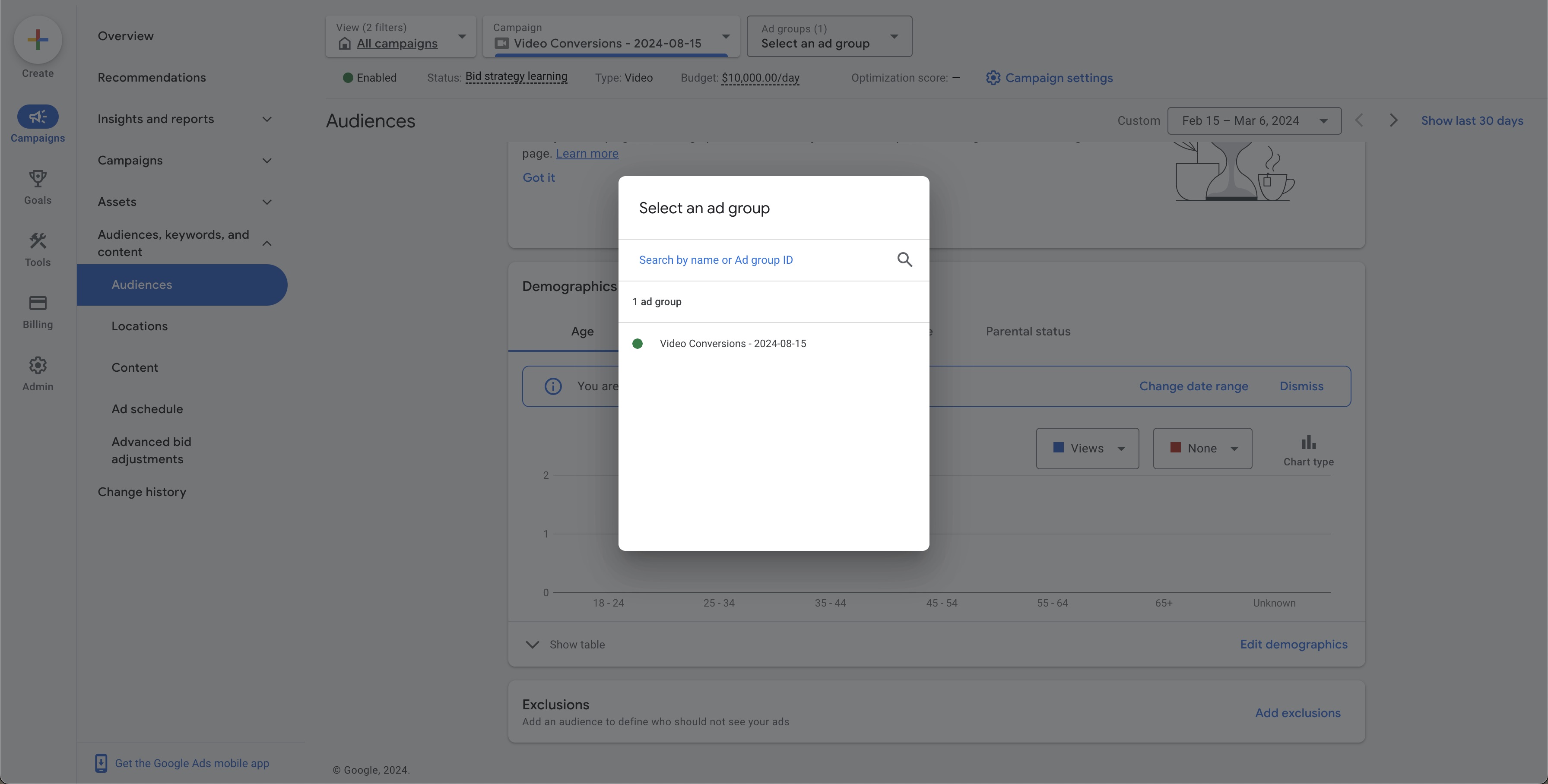
Attach the audience
Search for Tapper - Invalid Traffic List or locate it in the list. Select it and click Save.

Modifying an existing audience
If your Ad Group already has an audience attached, edit it to include the Tapper exclusion:
Find the audience
Locate the existing audience attached to your Ad Group.
Edit
Select Edit on the audience.
Add the exclusion
Scroll to the Exclusions section, search for Tapper - Invalid Traffic List, and select it.
Save
Save the changes.