
Audience exclusion
Attach Tapper's invalid traffic audience as an exclusion to your Meta ad sets.
Once your Meta account is connected, protection is a single toggle - Tapper attaches its invalid traffic audience as an exclusion to the ad set for you. Enable it in the dashboard, then verify the result in Meta Ads Manager.
Attach the exclusion audience
1
Open your protected entity
In Tapper, open Setup > Ad accounts in the sidebar and the Meta Ads tab, then Manage ad sets on the account.
2
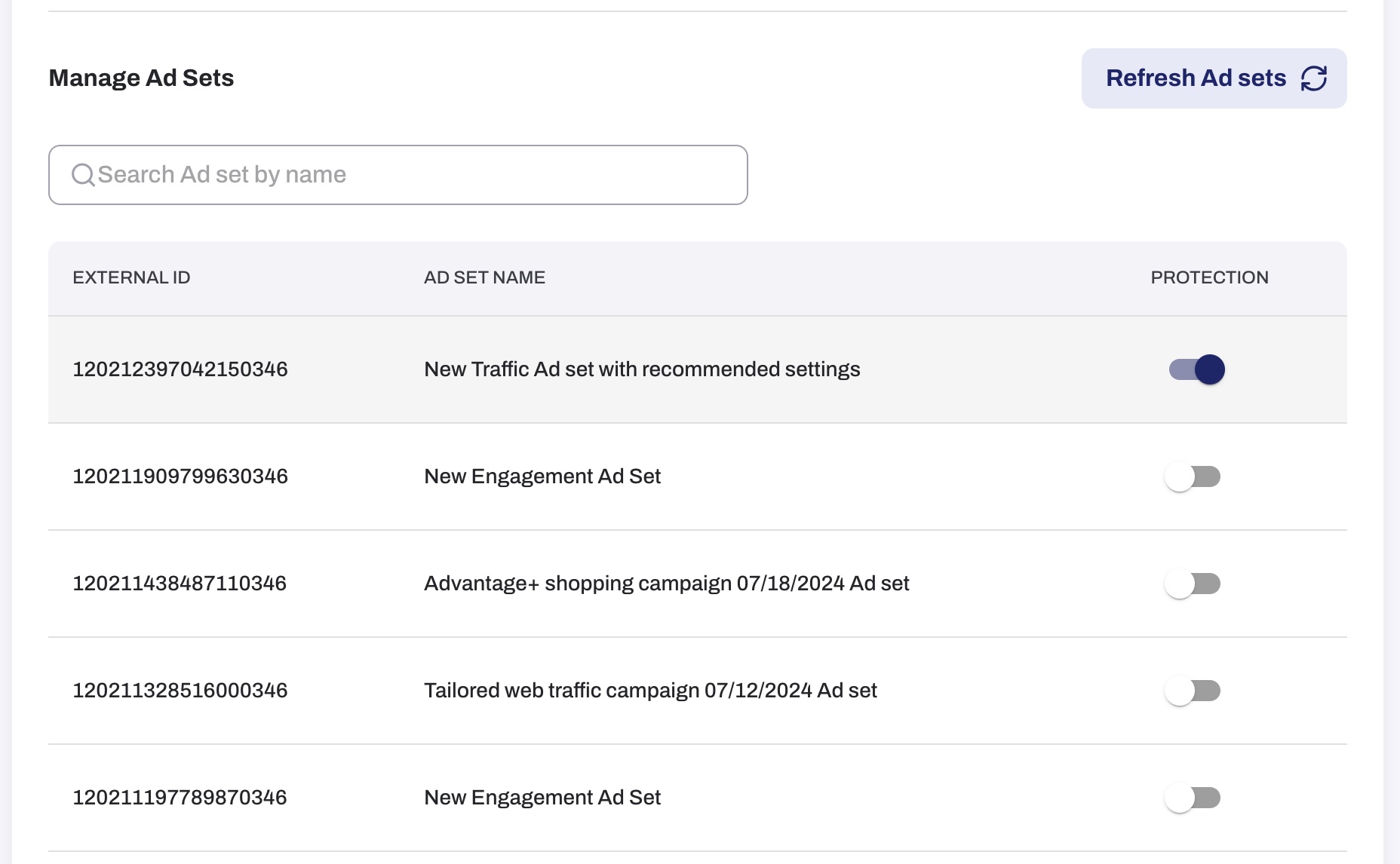
Toggle on protection
Locate the Ad Set you want to protect and toggle on the protection.
3
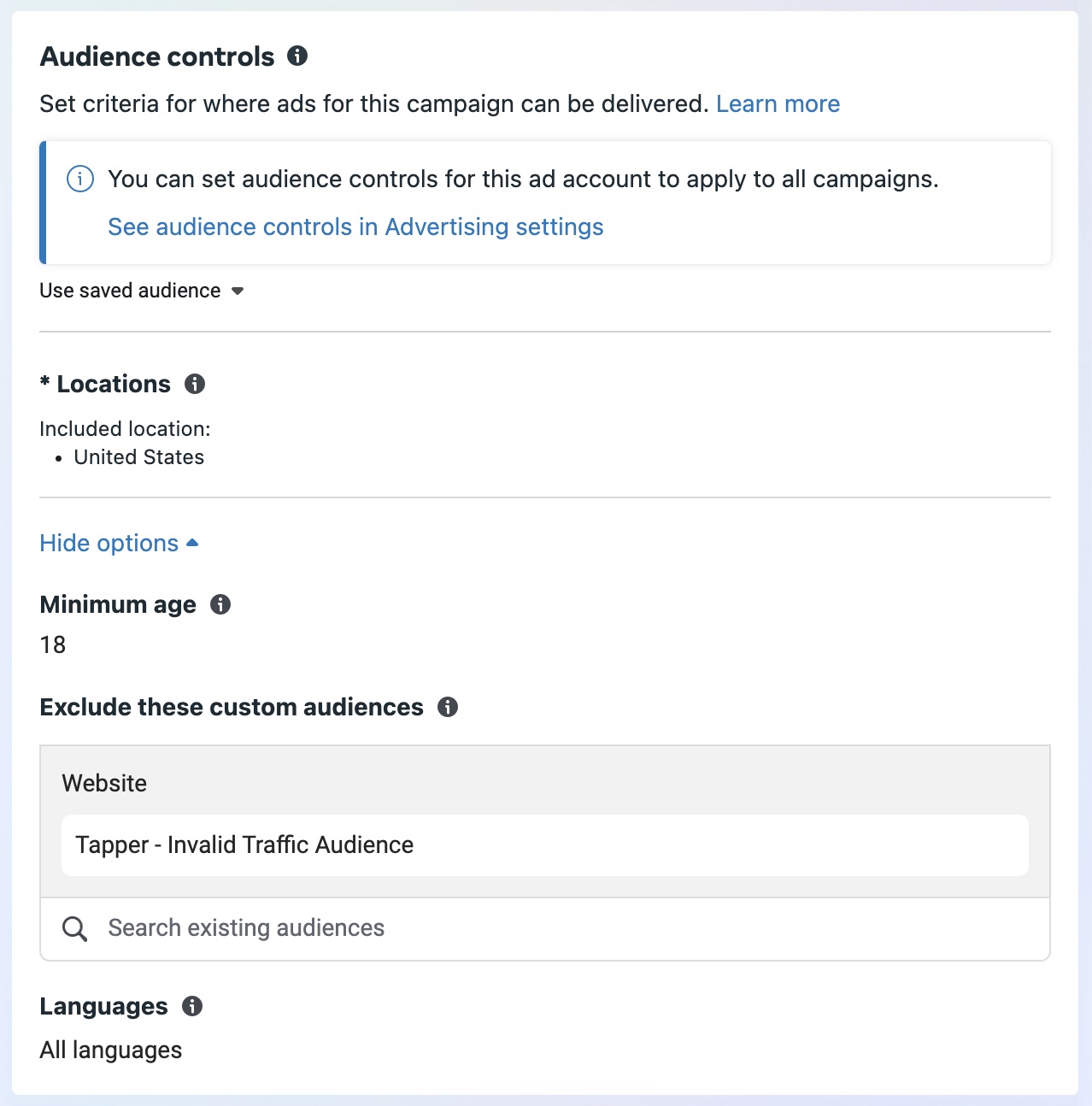
Verify in Meta Ads Manager
Navigate to Ad Sets in Meta Ads Manager, click Edit on the desired Ad Set, and under Audience Controls confirm that Tapper - Invalid Traffic Audience is listed as an exclusion. On some accounts the same audience is named Tapper - Invalid traffic.