

URL parameters
Add the ad_id URL parameter to your Meta ads so Tapper Block can tie each click to the ad that produced it.
Tapper Block ties each Meta click to the ad that produced it through the ad's ID in your landing page URL. Meta does not add that ID by default, so add the ad_id URL parameter to your ads in Meta Ads Manager. You set it once per ad, in bulk or ad by ad, and it keeps working from then on.
Connect your Meta ad account first: see Connect Meta Ads.
Add the ad_id parameter
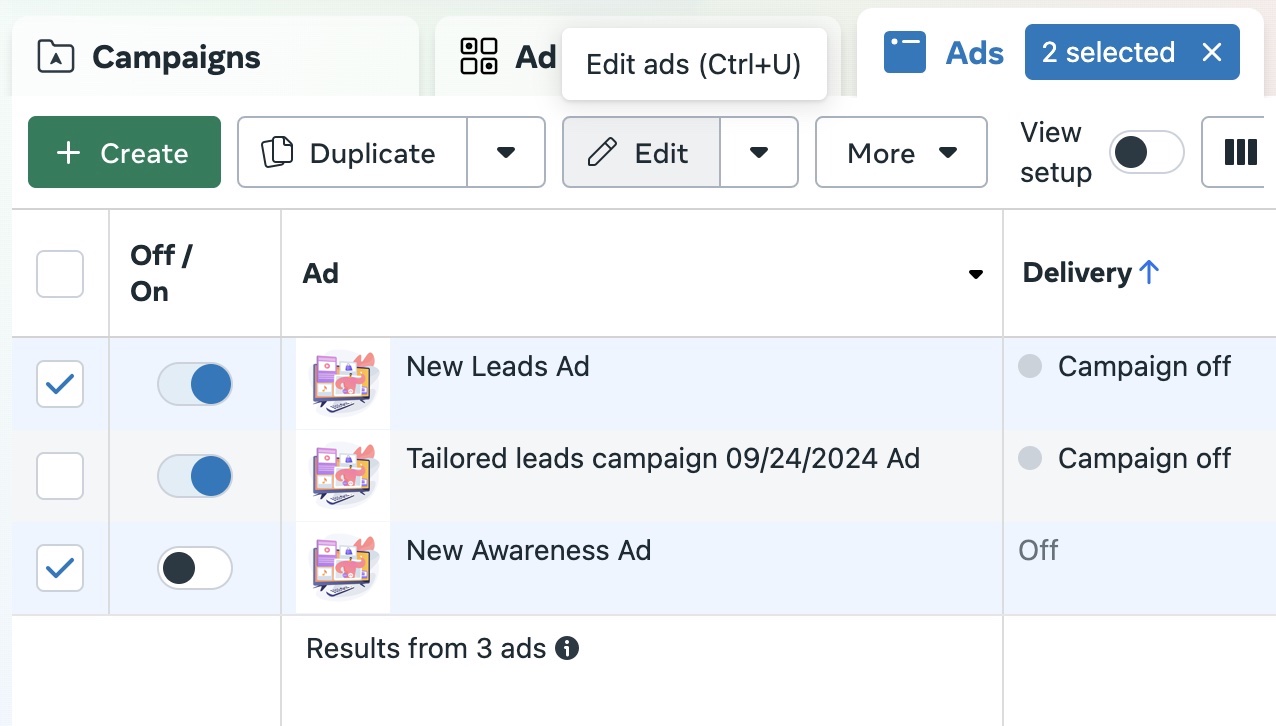
Select the ads
In Meta Ads Manager, select the ads you want to set up.
Open bulk edit
Click Bulk Edit in the toolbar.
Find the tracking settings
Scroll to the Tracking section of the bulk ads setup.
Add the parameter
Click Build a URL parameter, choose Add parameter, set the name to ad_id and select {{ad.id}} as the value. Click Apply.
Review and publish
- Check that every ad you edited carries
ad_id={{ad.id}}. - Type the name exactly as
ad_id, and pick{{ad.id}}from Meta's list of dynamic values rather than typing an ID. Meta fills in each ad's own ID when the ad is served. - Publish the changes.
Add the parameter to every new ad as well. Without it, a click may not be tied to the right ad.
Next step
Attach Tapper's invalid traffic audience to your ad sets: see Audience exclusion.