Value rule exclusion
The conversion value rule Tapper Block adds to Search, Display and Shopping campaigns, and how to add one to a Performance Max campaign yourself.
A conversion value rule tells Google Ads to count less value for conversions from the visitors on Tapper Block's lists, so its bidding values those visitors less. It is a second layer on top of the audience exclusion, which keeps those visitors out of your protected campaigns.
What Tapper adds
| Campaign type | Value rule from Tapper |
|---|---|
| Search, Display and Shopping | Yes. Conversion values from visitors on Tapper - Invalid Traffic List and Tapper - Ad Click Limit Exceeded Traffic List are multiplied by 0.5. |
| Performance Max | No. Tapper adds the audience exclusion only. You can add the value rule yourself. |
| Demand Gen, Video and other types | No. |
On the Campaigns tab of the Google Ads page in Setup > Ad accounts, a campaign with Tapper's value rule shows Value Rule Exclusion. Turning the campaign's Protection switch off removes the value rule from it in Google Ads, and turning it on adds it again.
Add a value rule to a Performance Max campaign
Tapper creates the lists when you connect the account, or when Block is added to your workspace later, so you only create the rule. See Connect Google Ads.
Open value rules
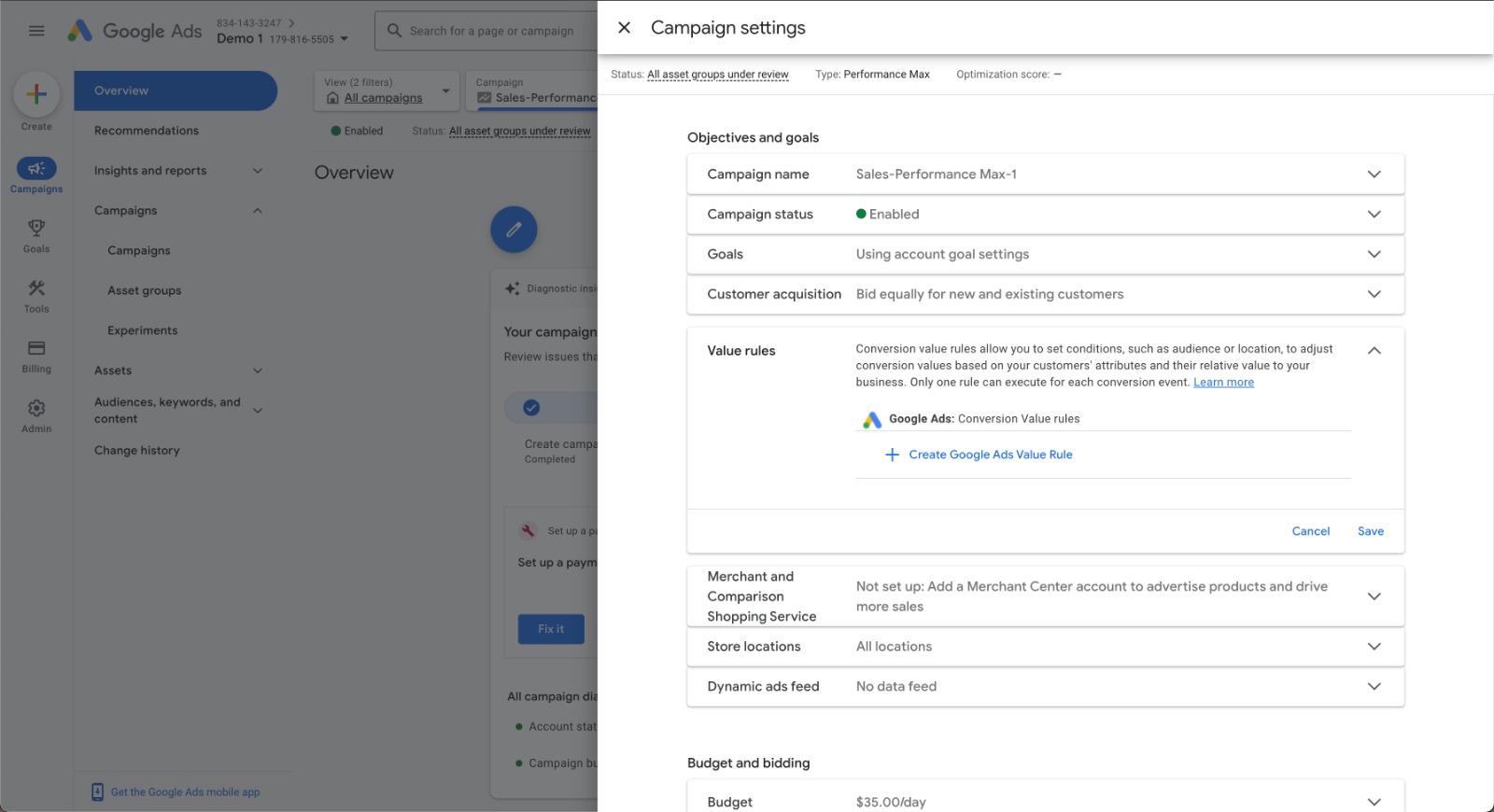
In Google Ads, open your Performance Max campaign and go to its Settings tab. In the Value Rules section, click Create Google Ads Value Rule +.
Select the Tapper segment
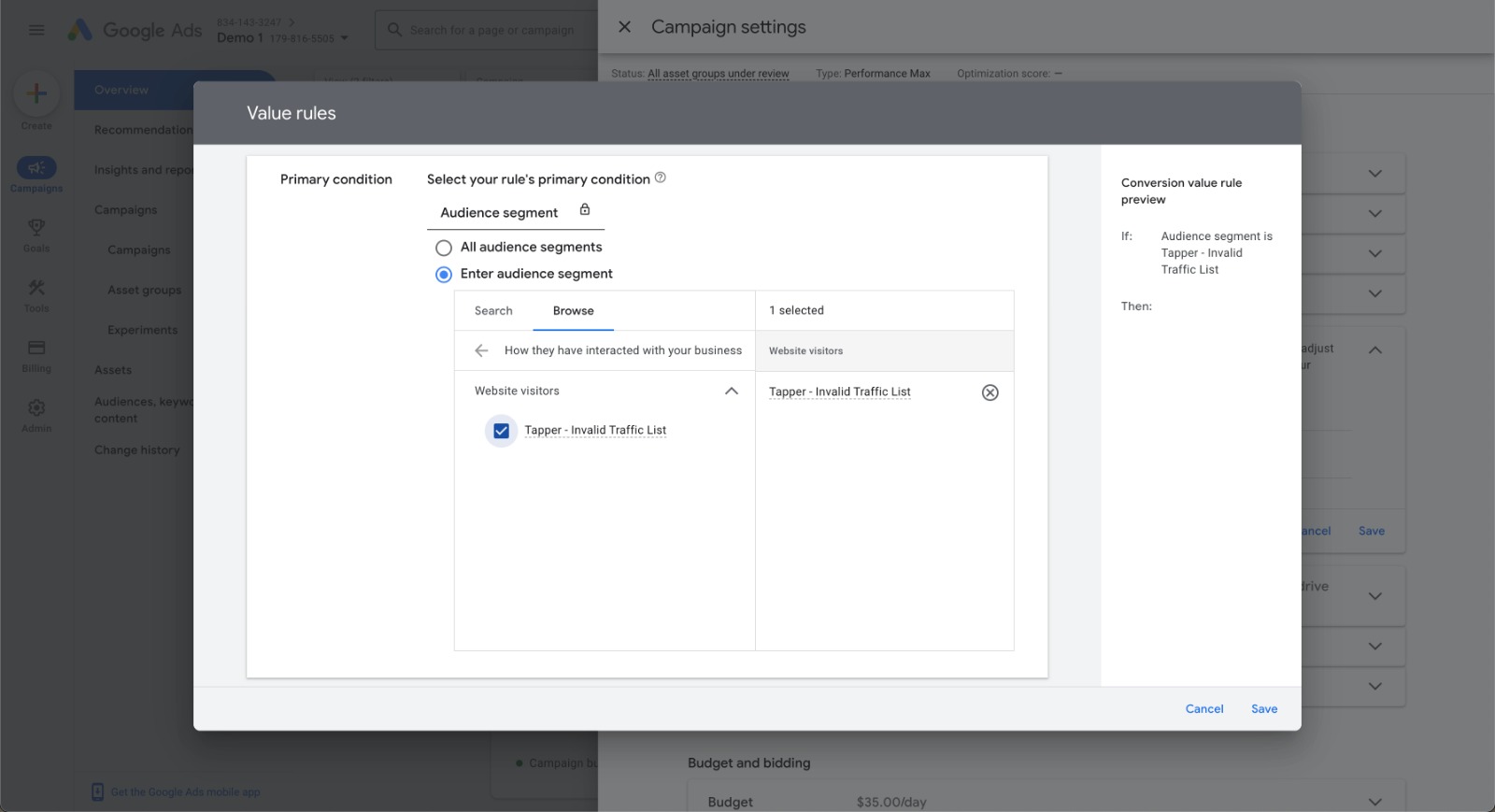
Click Browse, select How they have interacted with your business, then choose Tapper - Invalid Traffic List. Tapper's own rules also include Tapper - Ad Click Limit Exceeded Traffic List. Add it too for the same coverage.
Set the value adjustment
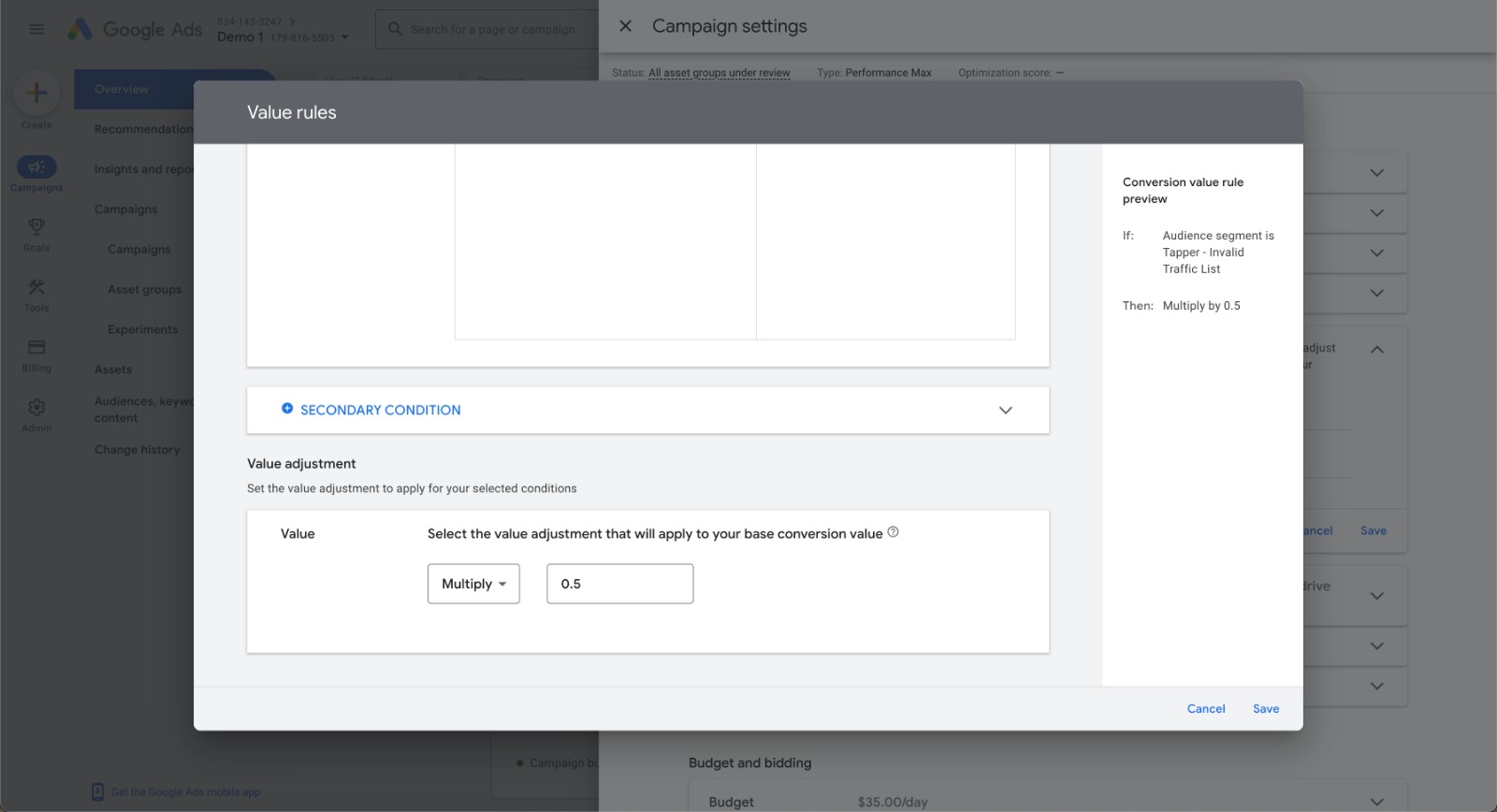
In the Value Adjustment section, choose Multiply and enter 0.5, the same factor Tapper uses.
Save
Review your settings and click Save.
A value rule does not stop flagged visitors from seeing your ads. It only lowers the conversion value Google Ads counts for them.
Troubleshooting
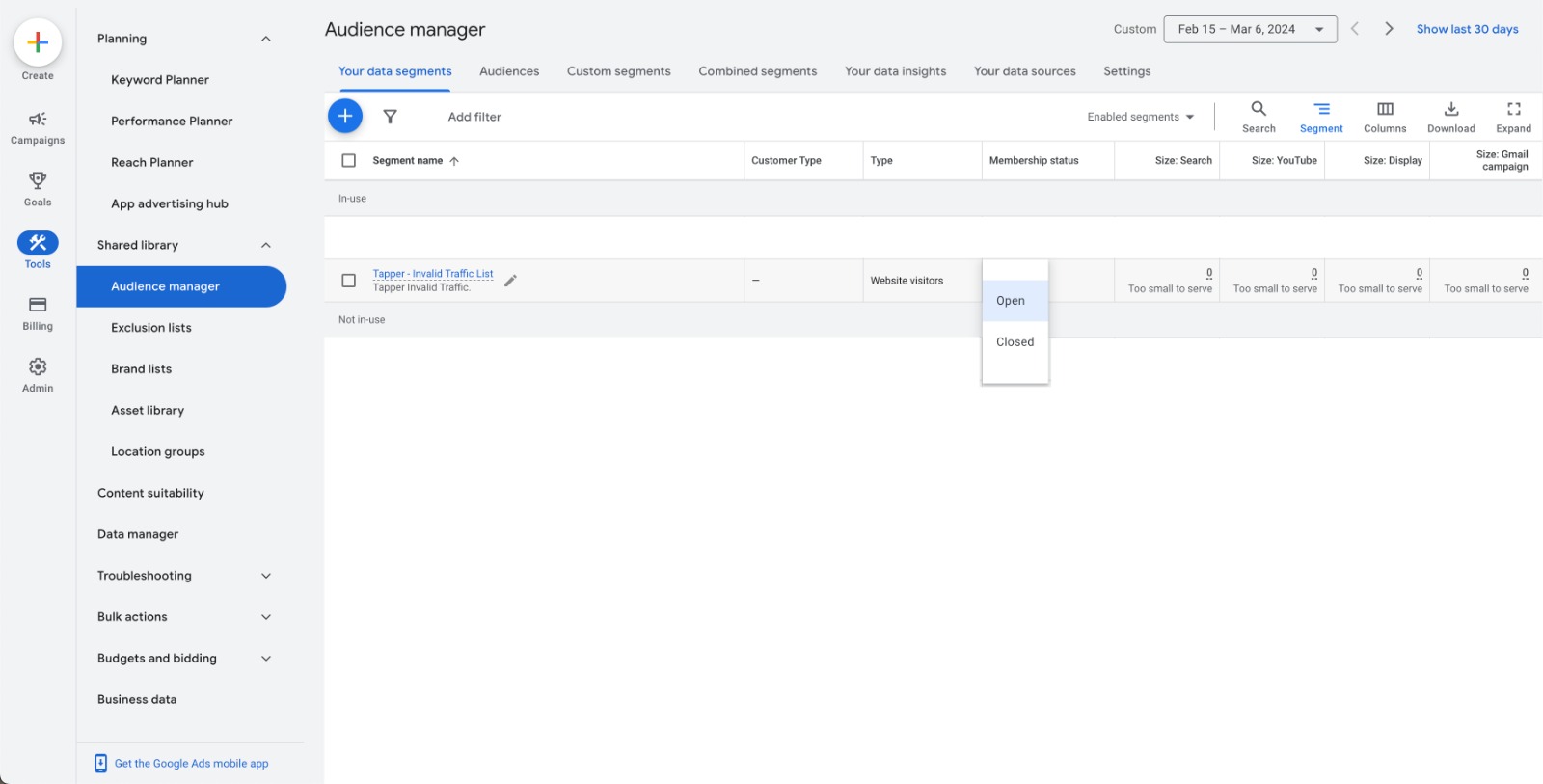
Tapper creates the list with its membership status set to Open. If Tapper - Invalid Traffic List doesn't appear when you set a value rule, check in the Audience Manager tool that its membership status is Open.