

Shadow campaign
Create a Tapper Block shadow campaign for visitors over your click limits, with a Manual CPC bid you set, apart from your main Google Ads campaign.
A shadow campaign is a copy of a Search or Shopping campaign, built for the visitors who went over your click limits, with a Manual CPC bid you set. Your main campaign keeps those visitors out and competes for everyone else, and the shadow campaign can still reach them at a price you control. Shadow campaigns are part of Tapper Block.
How it works
Tapper creates the shadow campaign in your Google Ads account, next to the campaign you pick:
- It is named after that campaign, followed by
- Shadow -and the date and time it was created, in UTC. - It copies the campaign's locations, languages, negative keywords, audiences and ad groups, with their keywords and their responsive search ads or product ads.
- It has its own budget, at the same amount as the campaign's budget.
- It bids Manual CPC, with your bid on every ad group and keyword, in the account's currency.
- It adds
Tapper - Ad Click Limit Exceeded Traffic Listas an audience, and keepsTapper - Invalid Traffic Listexcluded. - For a Shopping campaign, Tapper sets the original campaign's priority to High and the shadow campaign's to Low.
Create a shadow campaign
You can create one for a Search or Shopping campaign that has no shadow campaign. You need the Owner, Admin or Manager role.
Open Google Ads in Tapper
Open Setup > Ad accounts, then the Google Ads page. On the Accounts tab, click Manage campaigns on the account. The Campaigns tab opens with that account's campaigns.
Find your campaign
Find the campaign you want to shadow in the list.
Choose Create shadow campaign
Open the actions menu (⋮) at the end of the campaign's row and select Create shadow campaign.
Set the bid
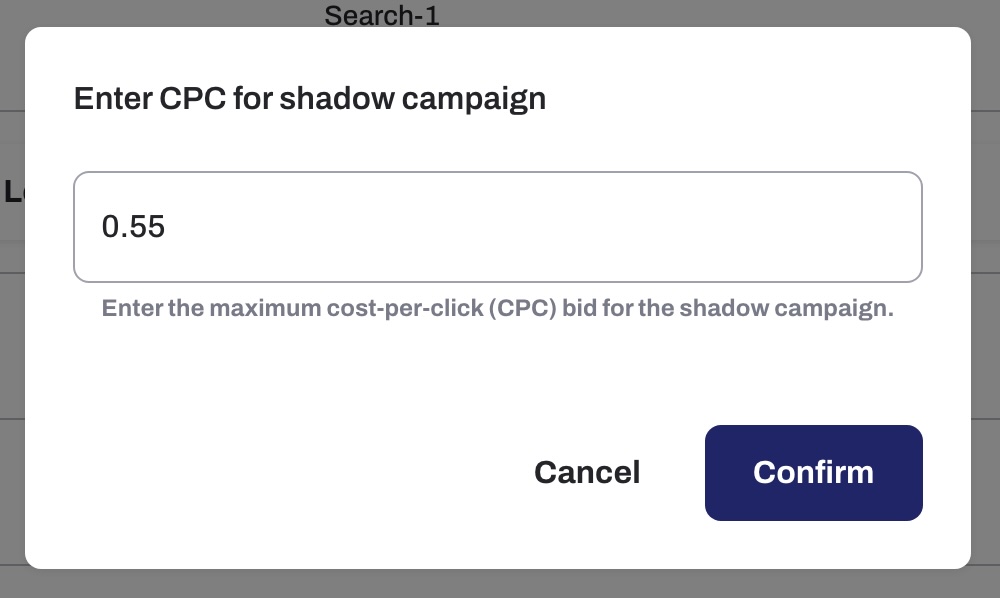
In the Enter CPC for shadow campaign dialog, enter the maximum cost per click for the shadow campaign and click Confirm.
Turn it on in Google Ads
Tapper creates the shadow campaign paused. Turn it on in Google Ads when you are ready.
In Tapper, a row under the campaign then says how many shadow campaigns it has. Open that row to see the shadow campaign and its Protection switch.