Audience segment exclusion
Exclude Tapper Block's invalid traffic list from a whole Google Ads campaign or one ad group by hand, for campaign types Tapper does not protect itself.
Tapper Block adds its exclusion itself on Search, Display, Shopping, Demand Gen and Performance Max campaigns. See Audience exclusion. For other campaign types, such as Video, exclude Tapper's list by hand, on the whole campaign or on one ad group. Tapper creates the list when you connect the account, or when Block is added to your workspace later, so you only attach it.
Add the exclusion
Set up the campaign first: goals, budget, targeting and ads.
Open audiences
In Google Ads, open the Audiences tab of your campaign.

Choose the level
In the Exclusions section, click Add Exclusions. Select the whole Campaign or one Ad Group.
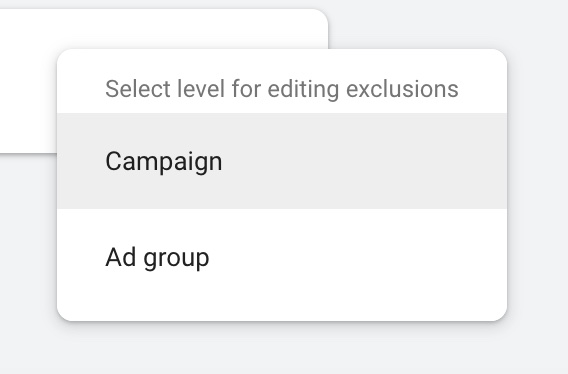
Select the Tapper segment
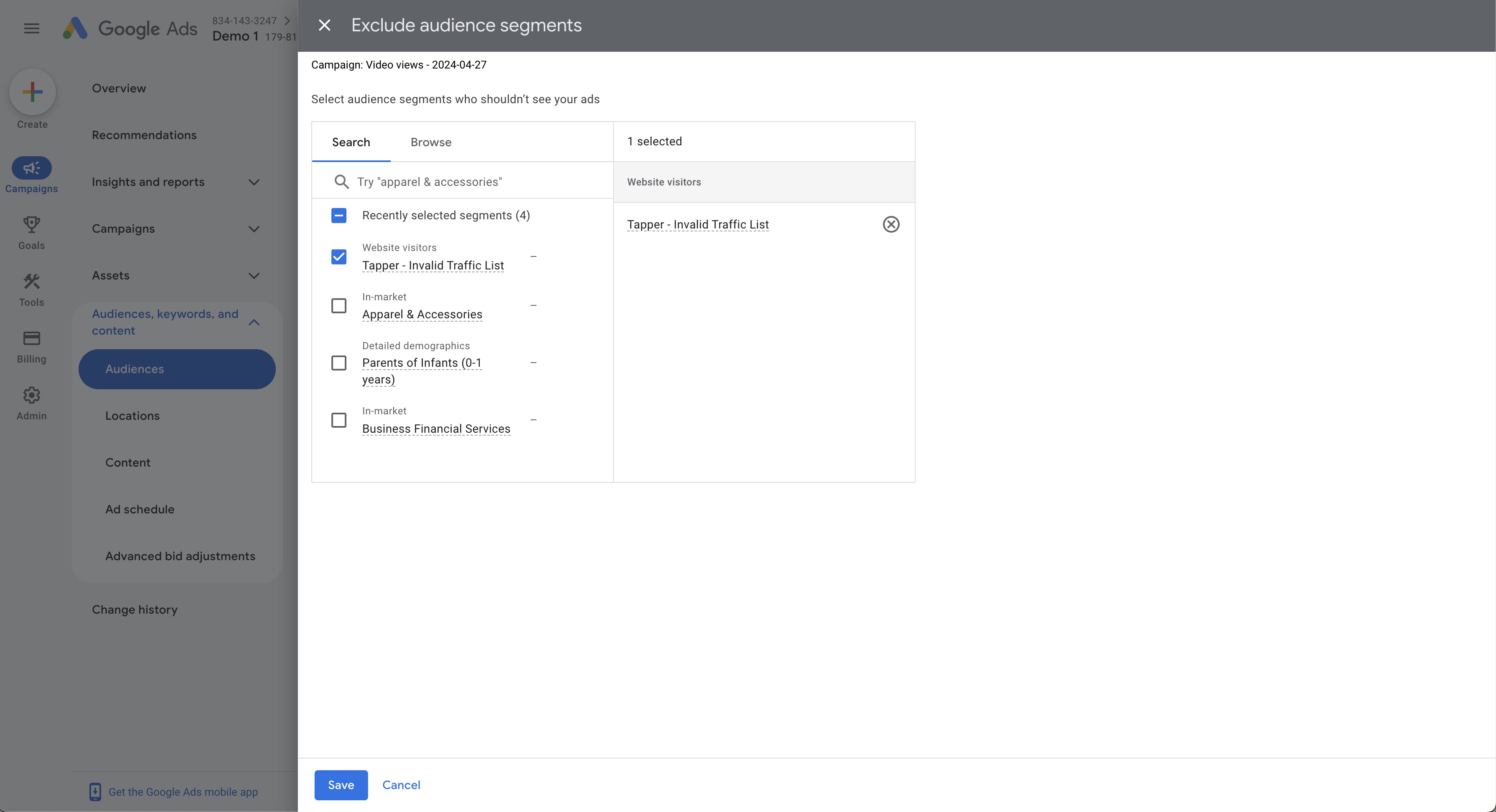
Choose Tapper - Invalid Traffic List from the segments and click Save. To exclude the same visitors as Tapper's own exclusion, also choose Tapper - Ad Click Limit Exceeded Traffic List.
Troubleshooting
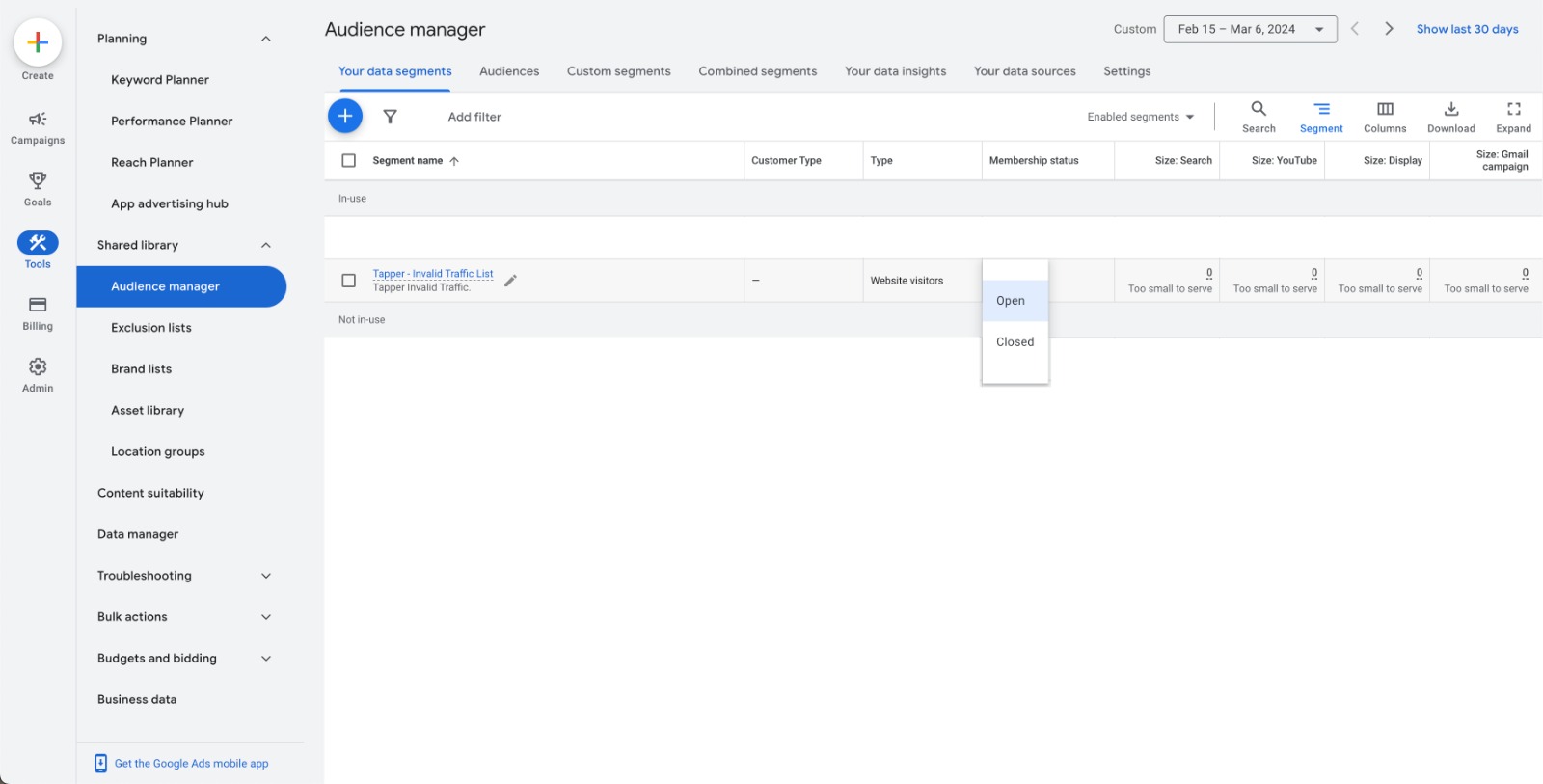
Tapper creates the list with its membership status set to Open. If Tapper - Invalid Traffic List doesn't appear when you add an exclusion, check in the Audience Manager tool that its membership status is Open.